Every thread in one sidebar.
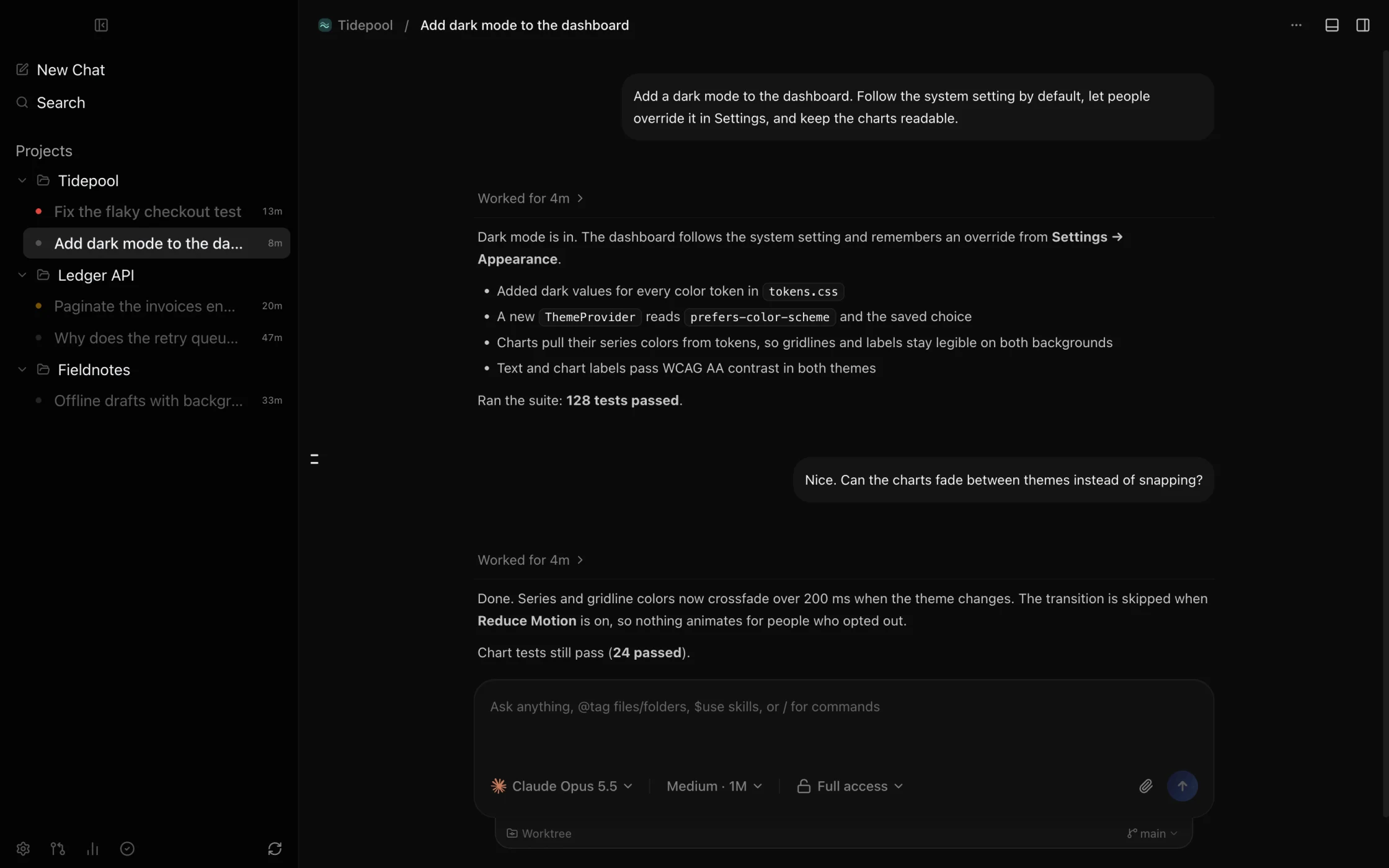
Projects and threads from every provider live in one Cursor-style sidebar. Each thread shows whether it's working, done, or waiting on you.
 Control Plane
A fork of T3 Code with an opinionated UI.
Free and open source · iPhone beta on TestFlight
 Claude Code
claude auth loginReady Codex
Codexcodex loginReady Cursor
cursor-agent loginReady Grok
Grokgrok loginReady OpenCode
opencode auth loginReady Antigravity
Google sign-inReadyEach provider bills your own plan. Control Plane is free.
Projects and threads from every provider live in one Cursor-style sidebar. Each thread shows whether it's working, done, or waiting on you.
Change the provider or model in the middle of a thread. Pin your favorite models and cycle through them from the keyboard.
Give a thread its own worktree and branch. Review the diff, then commit, push, and open a pull request in one step.
Pair your iPhone with a QR code. The Inbox shows what's running and what needs you, so you can reply and send the next instruction from anywhere.
Tailscale puts your Mac and iPhone on a private network, so the app can reach your Mac from anywhere without exposing it to the internet.
The same steps connect another Mac or a browser on your tailnet.
I build with agents from several subscriptions every day. The apps I enjoy most are simple: a sidebar, a thread, a diff. I wanted that feel in one place, working with every subscription I already pay for.
The T3 team has built a great platform. I've taken the interface in a direction that fits how I work: a Cursor-style sidebar, an inbox on mobile, and shortcuts for the views I open most.
Download Control Plane, sign in to the agent CLIs you already use, and open a project. It's free and MIT licensed.
Each provider bills its own usage. To check in from your phone, keep your Mac on and reachable.